Last updated: 2026-10-08

Core format guide

Marriage Biodata Format | Free A4 Guide

A marriage biodata is a concise introduction used by families or individuals when considering a matrimonial match. The strongest format is easy to scan, honest about important details, and flexible enough to remove fields that do not apply.

Quick answer

A useful marriage biodata format normally includes personal details, family background, education and career, a short introduction, partner expectations, a safe contact method and a clear profile photo. Optional fields such as gotra, horoscope details, caste or community should be included only when they are relevant to the family.

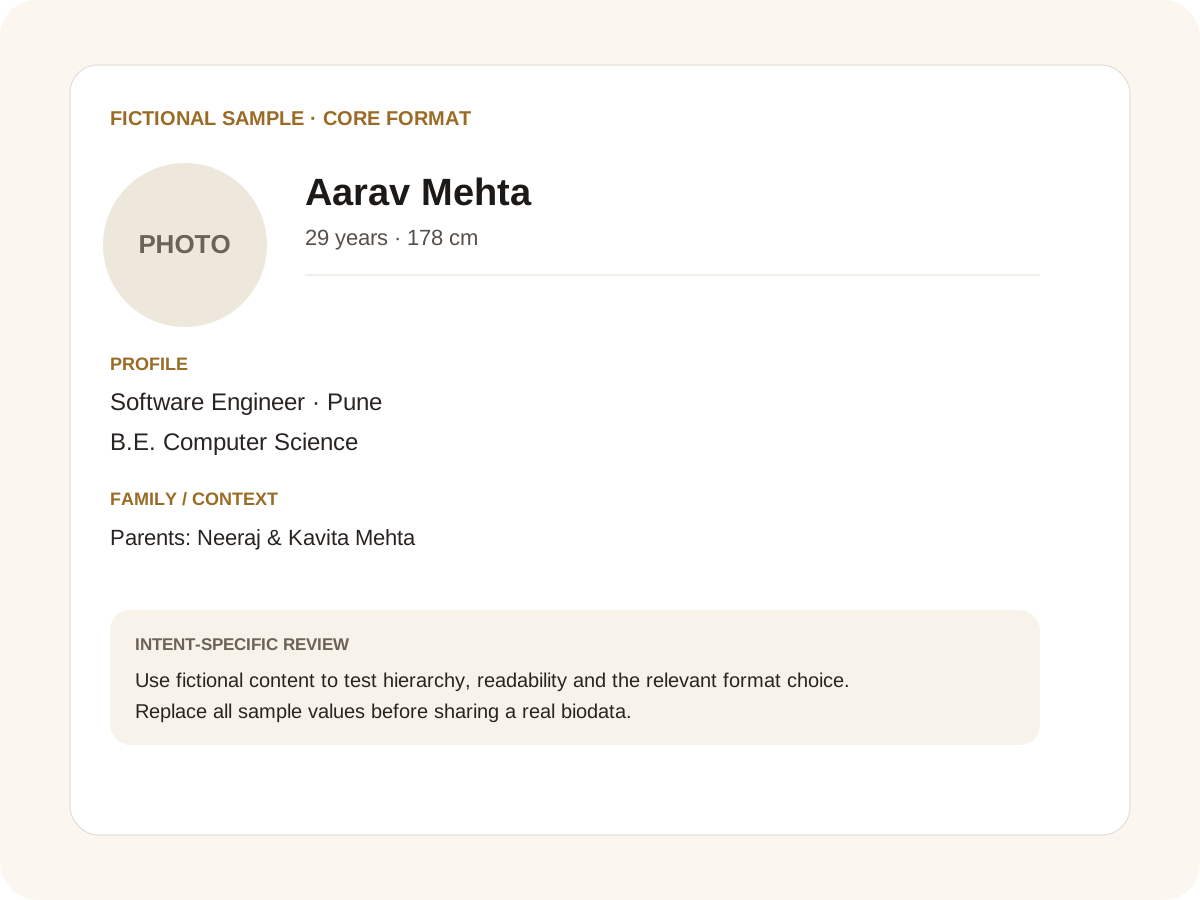
Fictional filled marriage biodata example for core format
Fictional sample for layout guidance. Replace every value with your own verified information.

Filled sample

What this example demonstrates

  • ✓ A concise one-page family introduction
  • ✓ A career-led profile for a working professional
  • ✓ A traditional profile with optional horoscope fields

What to include on the first page

Start with the person rather than a long family history. Full name, date of birth, height, education, occupation, current city and a profile photograph give a reader enough context to decide whether to continue. A clean two-column layout can make a detailed profile fit comfortably on one A4 page without shrinking the type too far.

Family details can follow in a compact section: parents, siblings, family background and native place. Add only facts that the family is comfortable circulating. A full home address, identity numbers and other sensitive information are usually unnecessary in an introductory biodata.

Traditional and modern fields can coexist

Indian marriage biodatas vary widely. Some families expect caste, sub-caste, gotra, manglik status, rashi or nakshatra; others care more about education, career, location and personality. A good format treats these as optional fields rather than assuming every family follows one matching system.

The same principle applies to income, family business, NRI status and relocation plans. State useful information clearly, but avoid turning the document into a financial or identity record. EasyBiodataMaker lets you keep the predefined structure and add or remove individual fields.

Make the profile easy to read and share

Use short values instead of paragraphs wherever possible. For example, “Software Engineer · Ahmedabad” is easier to scan than a long sentence about employment. Keep the About Me and expectations sections conversational and specific rather than filling them with generic adjectives.

Before sharing, open the PDF on a phone. Names, dates, phone numbers and regional scripts should remain readable. Keep a private copy with sensitive information and a shareable version with only what is necessary for the first introduction.

Common mistakes for this intent

  • • Turning every optional field into a mandatory field
  • • Publishing a full home address or identity number
  • • Using a tiny font to force too much text onto one page
  • • Leaving expectations as vague adjectives

Practical examples to compare

  1. 1. A concise one-page family introduction
  2. 2. A career-led profile for a working professional
  3. 3. A traditional profile with optional horoscope fields

How to use a core format example

The broad format intent needs an answer that works before a family chooses a particular community, age group or visual style. Start with the information a reader needs to understand the person, then make optional cultural fields easy to recognise. The sample on this page uses fictional details so the structure can be judged without exposing a real family. Notice that the profile is not a résumé: career matters, but the document also needs family context, personality and practical expectations.

For this intent, the sample facts are deliberately fictional: Aarav Mehta is shown as the profile name, while the rest of the values establish a believable context without representing a real person. The example uses 29 years · 178 cm, Software Engineer · Pune and B.E. Computer Science to show how personal, career and education information can sit together. The family line, “Parents: Neeraj & Kavita Mehta,” demonstrates the amount of context that can be supplied without turning the first page into a family directory. Replace every value with verified information before sharing.

Three situations this format can handle

Three practical ways to use this format are worth testing. First, a concise one-page family introduction. Second, a career-led profile for a working professional. Third, a traditional profile with optional horoscope fields. These are different use cases rather than three versions of the same paragraph: one prioritises the information hierarchy, another changes the family context or audience, and the third tests how the design behaves when an optional requirement is introduced. Keeping those choices explicit makes it easier to explain why a particular template or field order was selected.

Review the finished core format profile

The most useful review is a content review followed by a rendering review. Check the facts, spelling, dates, relationships and location first. Then inspect the final page at the size at which a parent or prospective match will actually read it. For this page, pay particular attention to core format: it should be visible enough to answer the searcher’s question but should not overwhelm the rest of the profile. If a detail does not help a genuine first introduction, remove it rather than shrinking everything else.

A practical checklist

  • ✓ Full name, age/date of birth and height
  • ✓ Education, occupation and current city
  • ✓ Parents and sibling information
  • ✓ Optional community or horoscope fields
  • ✓ A short About Me and partner expectations
  • ✓ One clear profile photo and safe contact details
Start a free biodata

Related biodata resources

Frequently asked questions

A practical format contains personal details, family background, education and career, About Me, expectations, contact information and a profile photo. Traditional fields can be added when relevant.