Last updated: 2026-10-08

Online maker

Marriage Biodata Maker Online | Free & Private

An online marriage biodata maker is useful when you want to create the document from a phone or computer without installing design software. The best workflow combines a guided form with a live preview so you can see the finished page before exporting it.

Quick answer

Choose a template, fill the predefined fields, add or remove optional information, upload photos, preview the result and export it. A privacy-first browser workflow avoids the need to create an account just to prepare a marriage biodata.

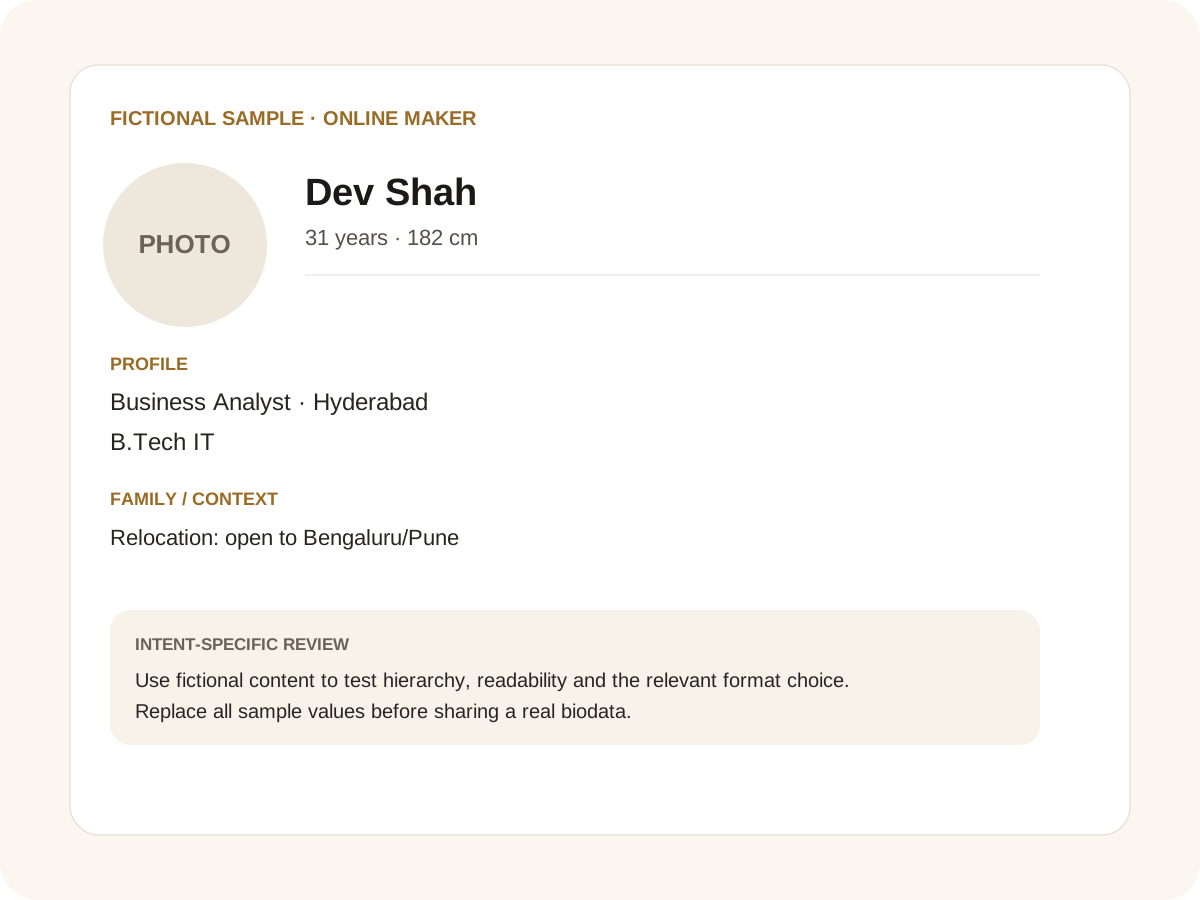
Fictional filled marriage biodata example for online maker
Fictional sample for layout guidance. Replace every value with your own verified information.

Filled sample

What this example demonstrates

  • ✓ Creating the first draft on a phone
  • ✓ Switching from a traditional to modern template
  • ✓ Preparing PDF for printing and image for WhatsApp

Why an online builder is easier than starting in Word

Word is excellent for editing text, but a biodata often needs deliberate visual hierarchy, photo cropping and page layout. An online builder can keep those elements connected while you fill the form.

You can still export to DOCX when you want an editable Word document later. This gives you the convenience of an online maker without locking the final document into one format.

Build once, try multiple designs

The content and template are separate, so you can test traditional, modern or royal styles without retyping the profile. This is useful when different family members have different preferences about colours or decorative elements.

Community presets can suggest fields and symbols, while every field remains optional and reorderable.

Designed for sharing

A4 PDF is useful for printing and formal forwarding. PNG is useful for quick WhatsApp sharing. Additional photos can be placed on separate pages instead of crowding the main biodata.

Always check the final export on the device you will use for sharing. A good online maker should make that final check easy with a live preview.

Common mistakes for this intent

  • • Starting with a blank design instead of profile content
  • • Not checking the mobile preview
  • • Adding sensitive data before deciding who will receive it
  • • Forgetting to proofread exported files

Practical examples to compare

  1. 1. Creating the first draft on a phone
  2. 2. Switching from a traditional to modern template
  3. 3. Preparing PDF for printing and image for WhatsApp

How to use a online maker example

The online-maker intent is about completing a real task in a browser. The fictional profile demonstrates a practical sequence: enter facts, add the photo, remove irrelevant fields, review the layout and choose an export. That sequence is different from simply describing a biodata format. It is especially useful for families who begin on a phone and finish on a laptop, because the same information should remain coherent while the screen size changes.

For this intent, the sample facts are deliberately fictional: Dev Shah is shown as the profile name, while the rest of the values establish a believable context without representing a real person. The example uses 31 years · 182 cm, Business Analyst · Hyderabad and B.Tech IT to show how personal, career and education information can sit together. The family line, “Relocation: open to Bengaluru/Pune,” demonstrates the amount of context that can be supplied without turning the first page into a family directory. Replace every value with verified information before sharing.

Three situations this format can handle

Three practical ways to use this format are worth testing. First, creating the first draft on a phone. Second, switching from a traditional to modern template. Third, preparing pdf for printing and image for whatsapp. These are different use cases rather than three versions of the same paragraph: one prioritises the information hierarchy, another changes the family context or audience, and the third tests how the design behaves when an optional requirement is introduced. Keeping those choices explicit makes it easier to explain why a particular template or field order was selected.

Review the finished online maker profile

The most useful review is a content review followed by a rendering review. Check the facts, spelling, dates, relationships and location first. Then inspect the final page at the size at which a parent or prospective match will actually read it. For this page, pay particular attention to online maker: it should be visible enough to answer the searcher’s question but should not overwhelm the rest of the profile. If a detail does not help a genuine first introduction, remove it rather than shrinking everything else.

A practical checklist

  • ✓ Browser-based creation
  • ✓ Live template preview
  • ✓ No-login workflow
  • ✓ Field reorder and custom fields
  • ✓ A4 PDF and DOCX export
  • ✓ WhatsApp-friendly image sharing
Start a free biodata

Related biodata resources

Frequently asked questions

No. The maker runs in a modern web browser.