Last updated: 2026-10-08

WhatsApp sharing

Biodata Maker for WhatsApp | Photo & PDF

WhatsApp is often where a marriage biodata first travels between relatives. A good export should remain readable after forwarding and should not expose more personal information than the family intends to share.

Quick answer

Use a clean PNG when the recipient wants an image that opens immediately, or send the A4 PDF when printing and text quality matter. Keep the first biodata page focused and move extra photos to dedicated pages when needed.

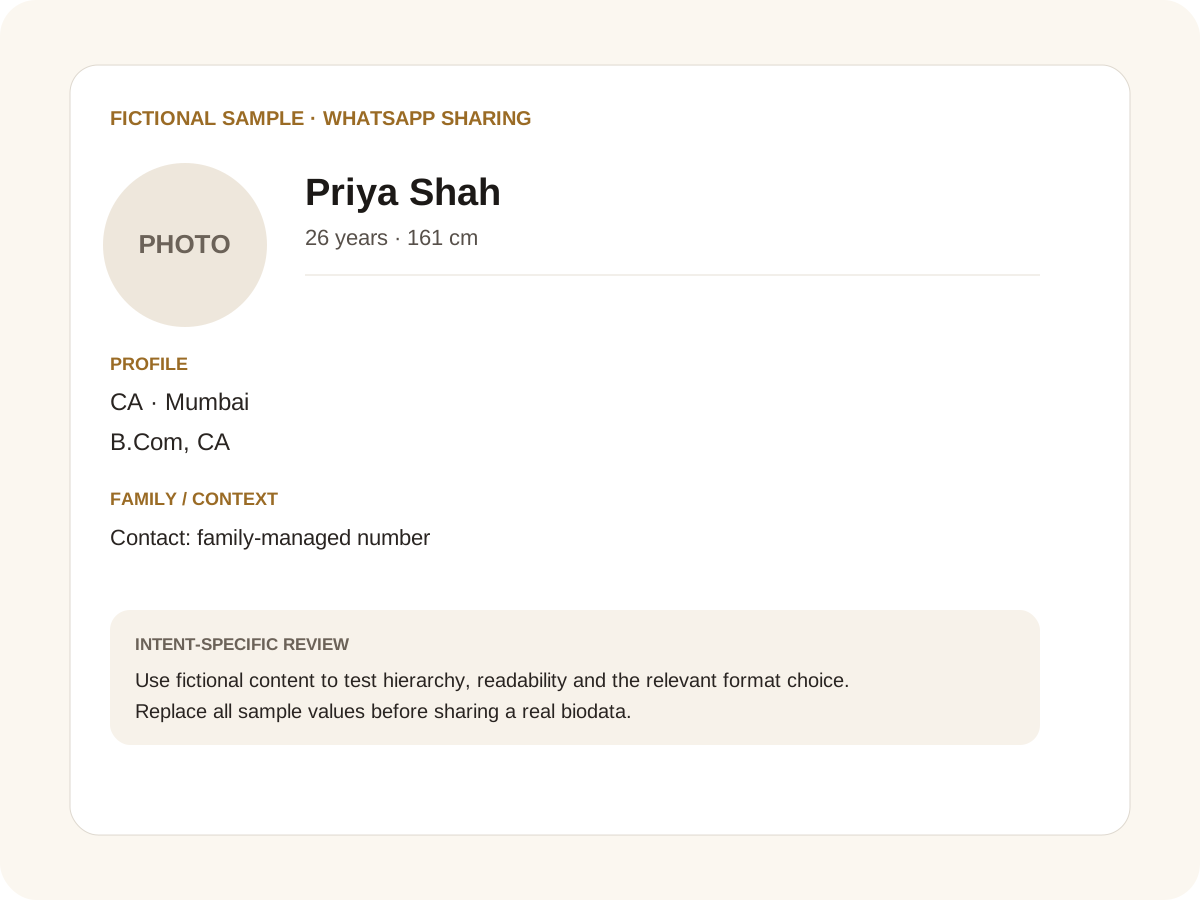
Fictional filled marriage biodata example for WhatsApp sharing
Fictional sample for layout guidance. Replace every value with your own verified information.

Filled sample

What this example demonstrates

  • ✓ A PNG preview for quick WhatsApp sharing
  • ✓ A PDF for printing after family review
  • ✓ A short share message with the profile attached

Image versus PDF on WhatsApp

PNG is convenient for quick viewing and status-style sharing. PDF is better when the recipient may print the document or needs selectable text. If the family uses both, create a consistent pair from the same profile.

Avoid screenshots of the browser editor. Export only the clean biodata page so controls, scrollbars and empty canvas areas never appear in the shared image.

Privacy before forwarding

A biodata can travel farther than expected. Consider whether the first-share version needs a full address or direct phone number. City and state may be enough until both families decide to continue.

Keep children’s details, workplace-sensitive information and identity-document data out of a broadly forwarded copy unless there is a specific reason to share them.

Additional photos

If a family wants more than the profile portrait, choose the photo-page option that matches the sharing context. One photo per page creates large, clear images; an all-photos page creates a compact gallery.

This keeps the main biodata readable while still making it easy to send more photos.

Common mistakes for this intent

  • • Putting private data in the caption
  • • Sending a blurry screenshot
  • • Sharing an editable document when a preview is enough
  • • Forgetting who can forward the file

Practical examples to compare

  1. 1. A PNG preview for quick WhatsApp sharing
  2. 2. A PDF for printing after family review
  3. 3. A short share message with the profile attached

How to use a WhatsApp sharing example

WhatsApp sharing is a distribution problem: the recipient may view the biodata on a small screen, forward it to someone else or ask for a printable version later. The fictional example separates the quick image preview from the more formal PDF. That lets a family share a readable introduction without automatically sending the most detailed file. The accompanying message can remain short; the biodata itself should carry the important context and should not depend on a caption to explain missing facts.

For this intent, the sample facts are deliberately fictional: Priya Shah is shown as the profile name, while the rest of the values establish a believable context without representing a real person. The example uses 26 years · 161 cm, CA · Mumbai and B.Com, CA to show how personal, career and education information can sit together. The family line, “Contact: family-managed number,” demonstrates the amount of context that can be supplied without turning the first page into a family directory. Replace every value with verified information before sharing.

Three situations this format can handle

Three practical ways to use this format are worth testing. First, a png preview for quick whatsapp sharing. Second, a pdf for printing after family review. Third, a short share message with the profile attached. These are different use cases rather than three versions of the same paragraph: one prioritises the information hierarchy, another changes the family context or audience, and the third tests how the design behaves when an optional requirement is introduced. Keeping those choices explicit makes it easier to explain why a particular template or field order was selected.

Review the finished WhatsApp sharing profile

The most useful review is a content review followed by a rendering review. Check the facts, spelling, dates, relationships and location first. Then inspect the final page at the size at which a parent or prospective match will actually read it. For this page, pay particular attention to WhatsApp sharing: it should be visible enough to answer the searcher’s question but should not overwhelm the rest of the profile. If a detail does not help a genuine first introduction, remove it rather than shrinking everything else.

A practical checklist

  • ✓ Export the clean page, not the editor
  • ✓ Use PNG for quick viewing
  • ✓ Use PDF for printing
  • ✓ Keep contact details appropriate
  • ✓ Choose a photo-page layout
  • ✓ Preview before forwarding
Start a free biodata

Related biodata resources

Frequently asked questions

A clean single-page image is convenient for quick viewing, while a PDF is better for printing and formal sharing.