Last updated: 2026-10-08

Design guide

Royal Wedding Biodata Format | Elegant Indian Style

A royal wedding biodata format can use deeper colours, ornamental motifs and traditional typography without turning the page into a poster. The information should remain the visual priority.

Quick answer

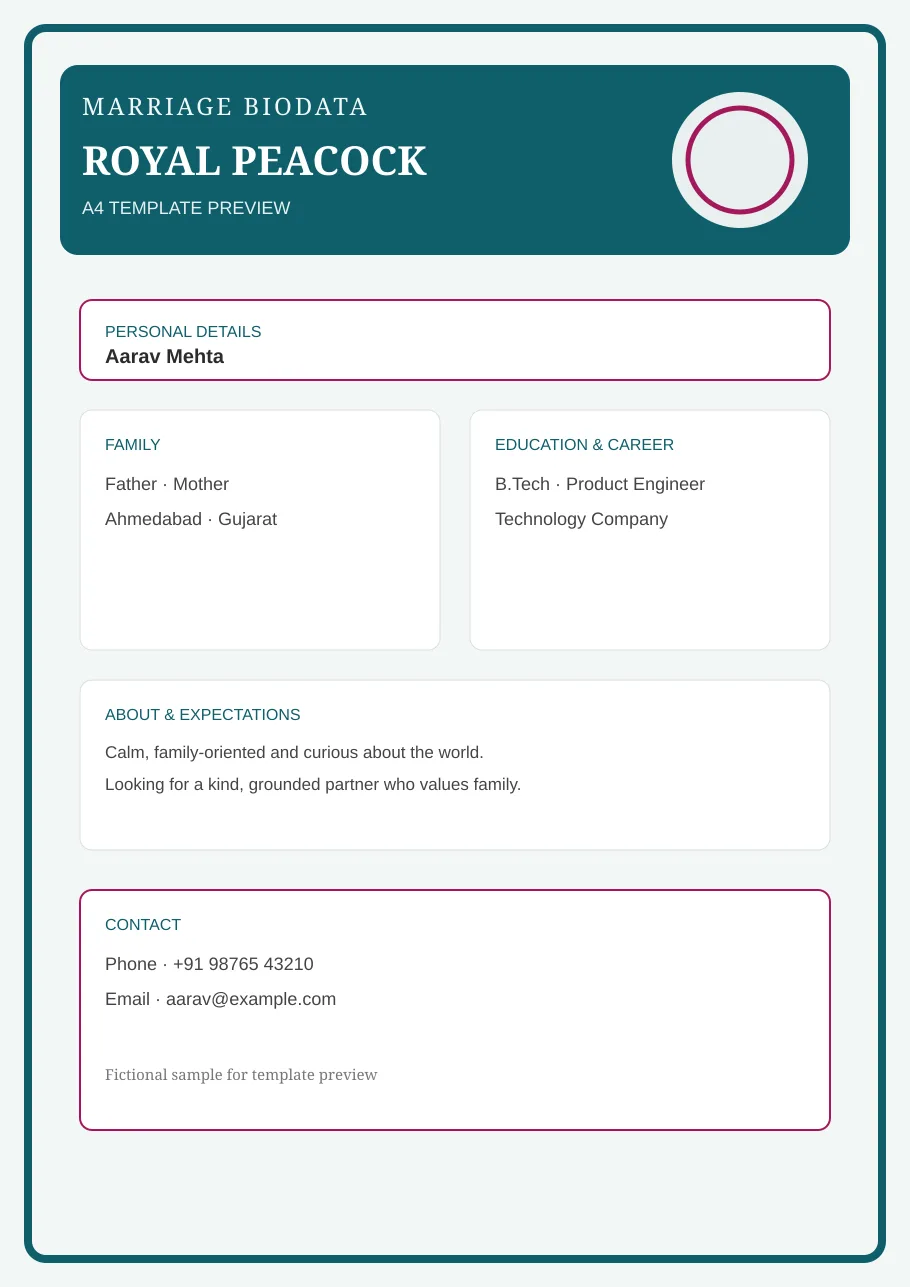
Use a restrained royal palette, one strong portrait, clear section headings and enough whitespace around family and career details. Decorative elements should frame the information rather than compete with it.

Royal Peacock royal wedding biodata template preview
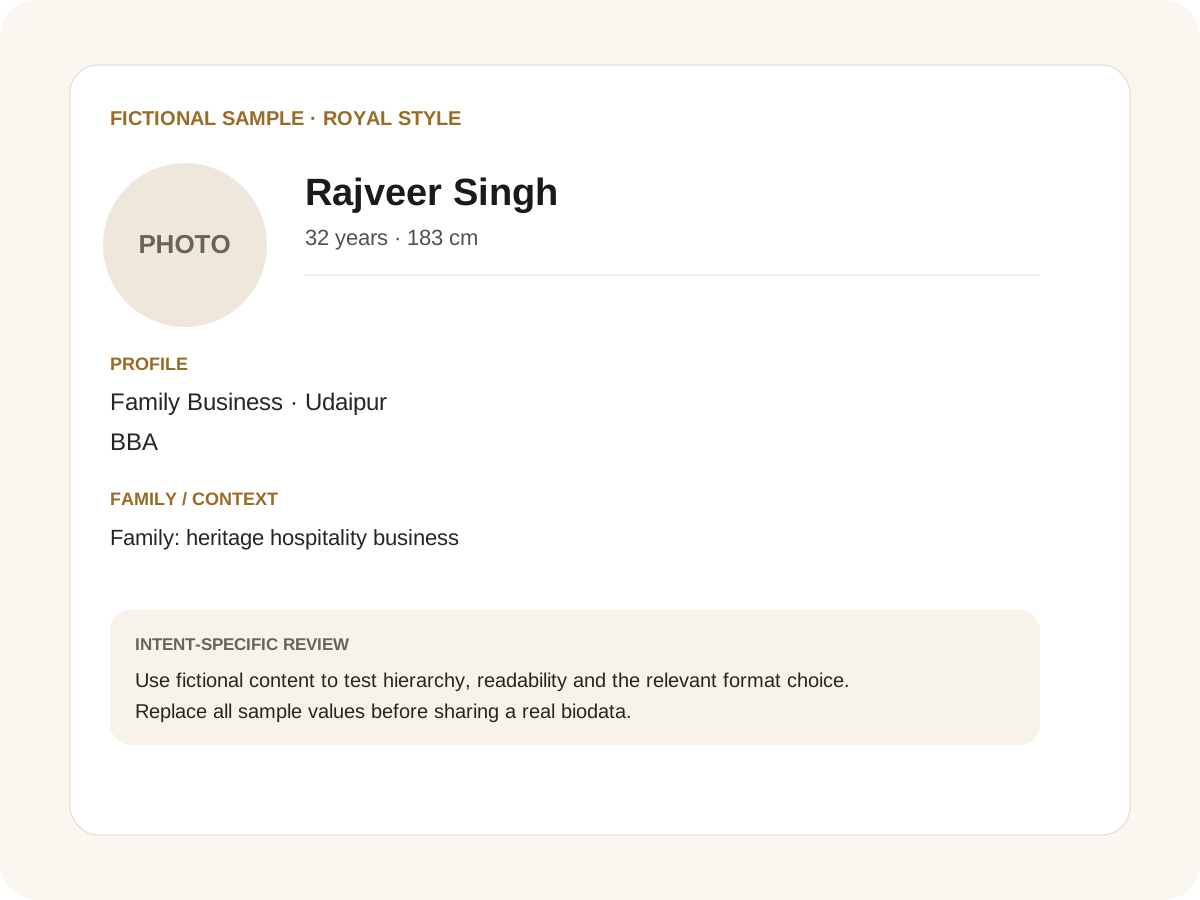
Fictional filled marriage biodata example for royal style
Fictional sample for layout guidance. Replace every value with your own verified information.

Filled sample

What this example demonstrates

  • ✓ A rich visual style with restrained ornament
  • ✓ A traditional family profile with a premium hierarchy
  • ✓ A royal-looking design that remains readable in A4

What makes a royal design work

Royal styling usually comes from proportion and restraint rather than adding more ornaments. A deep colour, metallic accent, subtle border or traditional motif can establish the mood while keeping text readable.

If the template uses a religious symbol, let the user select the symbol appropriate to their family rather than hard-coding one into every profile.

Traditional information can remain optional

Gotra, kuldevi, devak, horoscope details or community fields can be added when relevant. A royal visual style does not mean every traditional field needs to appear.

Keep education and career easy to scan. The profile should still work for a reader who has never seen the family’s preferred traditional format.

Print and mobile checks

Rich backgrounds can look different on different printers. Test the PDF before sending it to a local printer and check that small text remains readable on a phone.

Additional photos are better placed on dedicated pages if the family wants a larger gallery.

Common mistakes for this intent

  • • Adding ornament to every section
  • • Using decorative text that hurts readability
  • • Assuming “royal” means more information
  • • Letting colour contrast weaken important fields

Practical examples to compare

  1. 1. A rich visual style with restrained ornament
  2. 2. A traditional family profile with a premium hierarchy
  3. 3. A royal-looking design that remains readable in A4

How to use a royal style example

A royal visual direction is primarily about hierarchy, ornament and restraint. The fictional example demonstrates that a premium-looking biodata does not need every border, icon or colour at once. The name and photograph should still lead, followed by facts that help the family understand the person. Decorative elements are useful when they create a sense of occasion; they become a problem when they compete with the actual matrimonial information.

For this intent, the sample facts are deliberately fictional: Rajveer Singh is shown as the profile name, while the rest of the values establish a believable context without representing a real person. The example uses 32 years · 183 cm, Family Business · Udaipur and BBA to show how personal, career and education information can sit together. The family line, “Family: heritage hospitality business,” demonstrates the amount of context that can be supplied without turning the first page into a family directory. Replace every value with verified information before sharing.

Three situations this format can handle

Three practical ways to use this format are worth testing. First, a rich visual style with restrained ornament. Second, a traditional family profile with a premium hierarchy. Third, a royal-looking design that remains readable in a4. These are different use cases rather than three versions of the same paragraph: one prioritises the information hierarchy, another changes the family context or audience, and the third tests how the design behaves when an optional requirement is introduced. Keeping those choices explicit makes it easier to explain why a particular template or field order was selected.

Review the finished royal style profile

The most useful review is a content review followed by a rendering review. Check the facts, spelling, dates, relationships and location first. Then inspect the final page at the size at which a parent or prospective match will actually read it. For this page, pay particular attention to royal style: it should be visible enough to answer the searcher’s question but should not overwhelm the rest of the profile. If a detail does not help a genuine first introduction, remove it rather than shrinking everything else.

A practical checklist

  • ✓ Restrained royal palette
  • ✓ Readable typography
  • ✓ One strong profile photo
  • ✓ Optional cultural fields
  • ✓ Print test
  • ✓ Separate photo pages when needed
Start a free biodata

Related biodata resources

Frequently asked questions

A restrained rich palette, elegant typography, proportionate ornaments and strong information hierarchy.