Last updated: 2026-10-08

Community format

Maratha Marriage Biodata Format | Family & Career

A Maratha marriage biodata can combine family roots and community information with a clear modern profile of education, career and expectations. Practices differ by family, so optional fields should remain user-controlled.

Quick answer

A practical Maratha biodata includes personal details, parents and siblings, education, occupation, native place, About Me and expectations. Add gotra, family traditions or other community fields only when your family actually uses them.

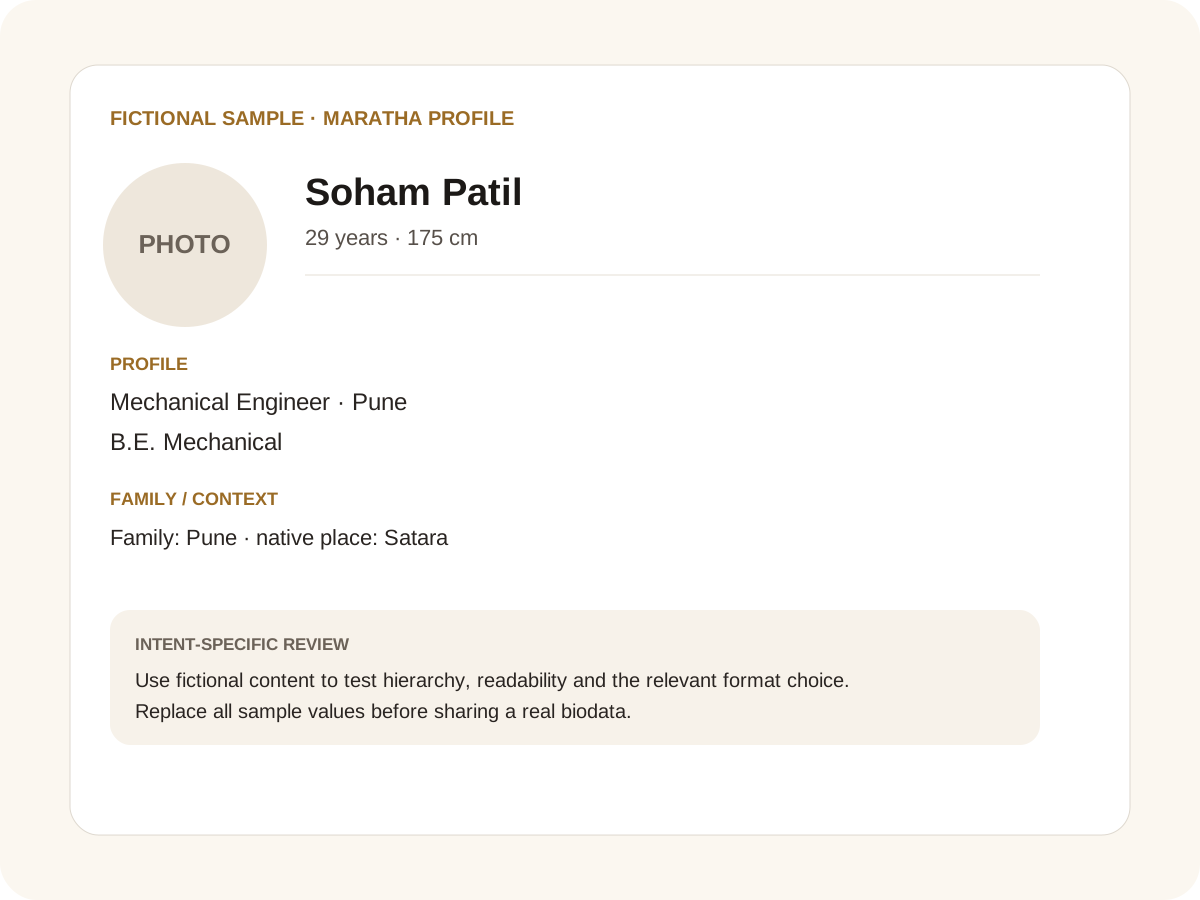
Fictional filled marriage biodata example for Maratha profile
Fictional sample for layout guidance. Replace every value with your own verified information.

Filled sample

What this example demonstrates

  • ✓ A Maratha family introduction
  • ✓ A career-led Maratha profile
  • ✓ A profile with optional family and community details

Family background without assumptions

Native place, parents’ occupations and siblings can provide useful context. If a family uses a specific lineage or traditional field, include the exact value confirmed by the household rather than copying another profile.

Community identity is important to some families and less important to others. The document should reflect the candidate and family rather than a generic stereotype.

Education and career stay prominent

Qualification, occupation, designation and work city should remain easy to scan. If the candidate runs a family business, describe the actual activity briefly instead of using only the word “business”.

For an NRI or inter-city profile, add country or city and relocation expectations when useful. Avoid private employer or identity details.

Modern sharing

A clear profile photo, concise About Me and practical expectations make the profile easier to forward. Keep the first version privacy-conscious and use the PDF or Word export that matches the family’s workflow.

If traditional fields matter, they can sit alongside modern career details without taking over the entire page.

Common mistakes for this intent

  • • Assuming every Maratha family wants identical fields
  • • Publishing sensitive caste/community details unnecessarily
  • • Letting community details replace career information
  • • Using generic copy that could fit any community

Practical examples to compare

  1. 1. A Maratha family introduction
  2. 2. A career-led Maratha profile
  3. 3. A profile with optional family and community details

How to use a Maratha profile example

A Maratha marriage biodata should be specific to the person and family without assuming that every Maratha household follows one identical format. The fictional example balances current career and location with family context, leaving community information as an optional part of the profile. That makes the page useful whether it is read by parents, relatives or the individual themselves. The strongest community page explains what may matter while avoiding invented customs or claims about what everyone in the community expects.

For this intent, the sample facts are deliberately fictional: Soham Patil is shown as the profile name, while the rest of the values establish a believable context without representing a real person. The example uses 29 years · 175 cm, Mechanical Engineer · Pune and B.E. Mechanical to show how personal, career and education information can sit together. The family line, “Family: Pune · native place: Satara,” demonstrates the amount of context that can be supplied without turning the first page into a family directory. Replace every value with verified information before sharing.

Three situations this format can handle

Three practical ways to use this format are worth testing. First, a maratha family introduction. Second, a career-led maratha profile. Third, a profile with optional family and community details. These are different use cases rather than three versions of the same paragraph: one prioritises the information hierarchy, another changes the family context or audience, and the third tests how the design behaves when an optional requirement is introduced. Keeping those choices explicit makes it easier to explain why a particular template or field order was selected.

Review the finished Maratha profile profile

The most useful review is a content review followed by a rendering review. Check the facts, spelling, dates, relationships and location first. Then inspect the final page at the size at which a parent or prospective match will actually read it. For this page, pay particular attention to Maratha profile: it should be visible enough to answer the searcher’s question but should not overwhelm the rest of the profile. If a detail does not help a genuine first introduction, remove it rather than shrinking everything else.

A practical checklist

  • ✓ Family and native place
  • ✓ Education and career
  • ✓ Optional community fields
  • ✓ About Me
  • ✓ Expectations
  • ✓ Profile photo and safe contact
Start a free biodata

Related biodata resources

Frequently asked questions

Personal details, family background, education, career, native place, About Me and expectations are a useful base. Community-specific fields are optional.